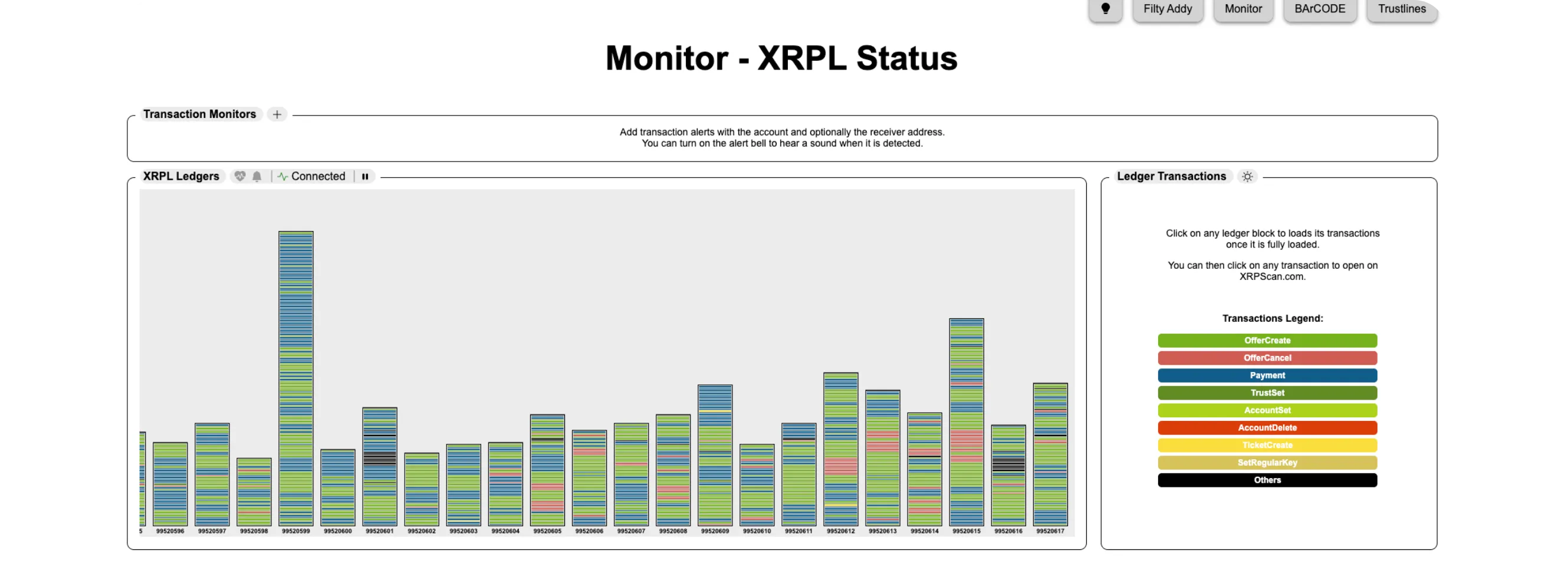
Users can monitor XRP Ledger health and transaction speed using XRPLStatus for network operational status, Livenet XRPL for real-time ledger visualization, and XRPScan Metrics for detailed validator and transaction data. Normal ledger close times are 3-5 seconds, and users can verify individual transaction confirmation times by searching their transaction hash
HOW TO CHECK XRP LEDGER NETWORK STATUS AND TRANSACTION SPEED
The XRP Ledger is one of the fastest and most reliable blockchains, but sometimes, users want to confirm that the network is healthy or check if transaction times are normal.
Here's how you can check real-time XRP Ledger performance, transaction speed, and network status, all without needing a wallet or XRP.
Step 1: Visit XRPL Status
Go to xrplstatus.com, the official network status page maintained by the XRP Ledger team
You'll see:
Network Operational Status (Mainnet / Testnet)
Node uptime and synchronization
Recent incident history, if any downtime or congestion was reported
If everything shows as Operational, the XRP Ledger is healthy and running normally.
Step 2: Check Live Ledger Speed
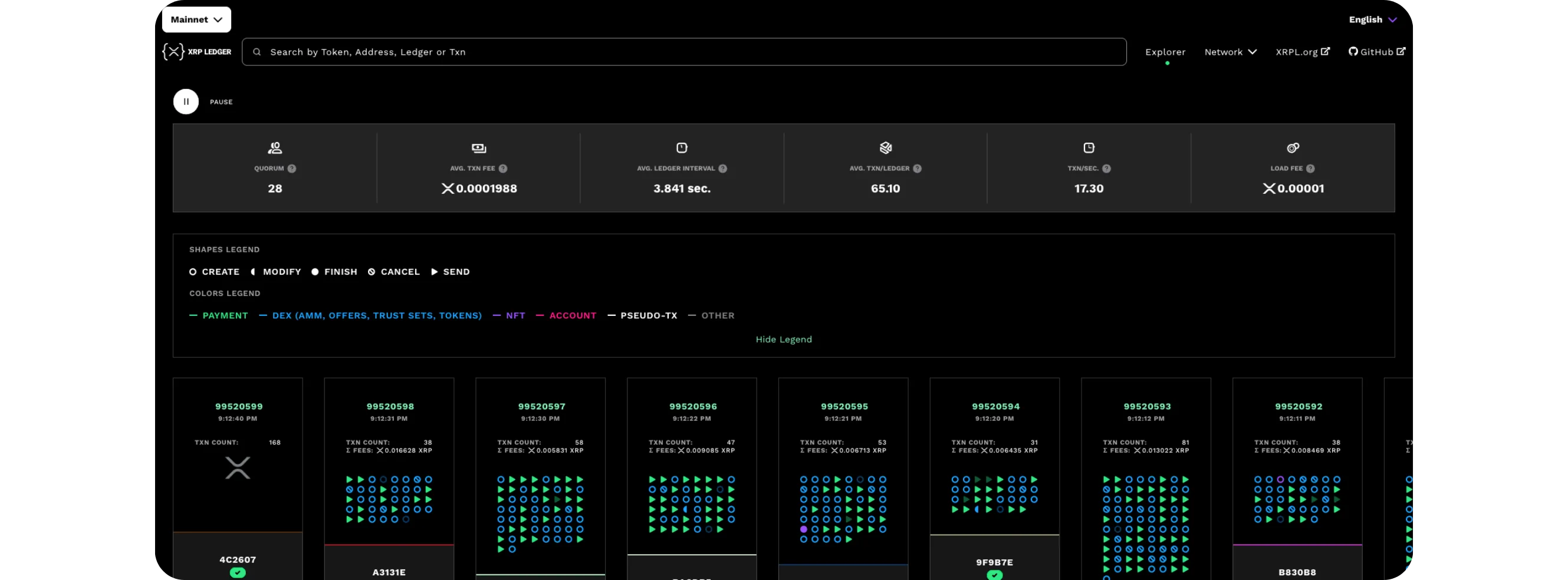
Next, visit livenet.xrpl.org
*This site visualizes the ledger in real time, you can literally see new ledgers closing every few seconds
Watch the top-right corner for:
Ledger Close Time: typically between 3 to 5 seconds
Transactions per Ledger: shows how many are being processed at once
If ledgers are closing quickly and continuously, the network is performing at full speed.
Scroll down to explore:
*Ledger Index (current ledger number),
Transaction count and fee averages,
Validator performance and participation
These stats help confirm that validators are active and consensus is stable.
Step 4: (Optional) Verify Your Own Transaction Speed
If you've sent XRP recently, copy your transaction hash and paste it into xrpscan.com
You'll see:
The exact time the transaction was included in the ledger
The number of ledgers it took to confirm
This helps you see how quickly your own transaction was finalized.
Tips
Ledger close times of 3–5 seconds = normal
If you see delays or high fees, check xrplstatus.com first, it's usually a wallet or exchange issue, not the network itself
Bookmark both XRPL Status and Livenet Explorer for quick reference
Conclusion
Monitoring the XRP Ledger's health is simple and requires no special setup. By using XRPLStatus, Livenet XRPL, and XRPScan Metrics, anyone can check network speed, stability, and validator performance in real time, and instantly know if the network is healthy or experiencing delays.