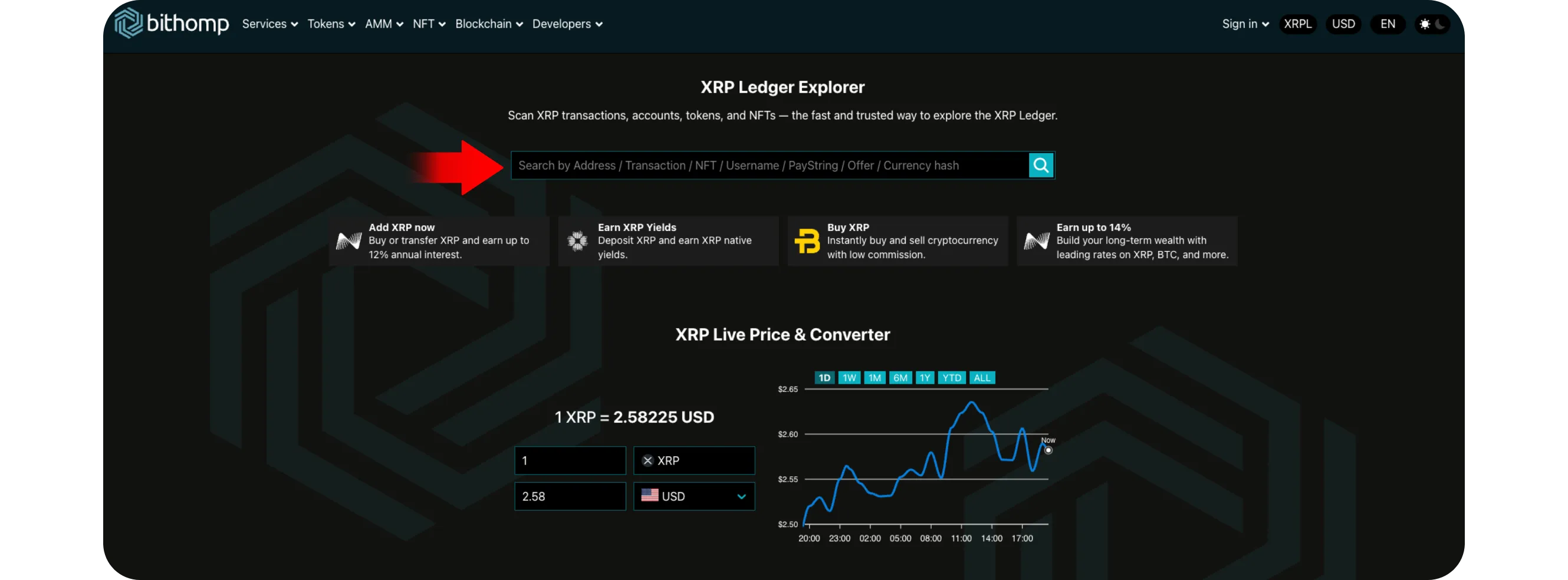
Watch-only setups allow users to monitor XRP wallet activity without controlling the private keys by using explorers like XRPScan and Bithomp. Users can bookmark wallet pages for real-time transaction tracking, set up optional alerts through third-party tools, and analyze all transaction details including amounts, fees, and status
HOW TO MONITOR AN XRP ADDRESS: WATCH-ONLY SETUPS AND ALERTS
Sometimes you may want to track the activity of an XRP wallet without actually controlling it, whether it's your own secondary wallet, an exchange address, or a large account on the XRP Ledger. This is where watch-only setups come in.
Watch-only tracking lets you monitor wallet transactions, balances, and movements in real time, giving you full visibility without needing to connect your private keys or secret phrases.
Here's how to set up and use watch-only monitoring for XRP wallets safely and effectively.
Step 1: Get the XRP Wallet Address You Want to Track
You can monitor any XRP address, public or private
If it's your own wallet, copy your XRP address (starts with "r")
If it's an exchange or project wallet, you can find it publicly listed on XRPScan or Bithomp
You only need the address, not the secret key or seed phrase.
Both platforms allow you to view real-time wallet activity directly from the blockchain
Paste the wallet address into the search bar and press Enter
You'll now see:
Recent transactions
Total balance
Destination tags used
Incoming and outgoing transfers
Step 3: Save or Bookmark the Wallet Page
Once the wallet details load, you can bookmark the page in your browser for easy access
*This essentially creates a "watch-only" setup, you can return at any time to see updates
On Bithomp, you can also register a free account and add multiple wallets to your watchlist, letting you check them all from one dashboard.
Step 4: Set Up Notifications or Alerts (Optional)
While XRPScan itself doesn't send alerts, some tools and extensions can notify you when a wallet moves funds
For example:
Bithomp Pro (paid tier) offers email notifications when selected wallets transact
Custom monitoring bots on Telegram or Discord can track specific XRP addresses
Third-party blockchain trackers (like Whale Alert) show major XRP transactions publicly
If you only need occasional checks, bookmarking the wallet page is usually enough.
Step 5: Analyze Transaction Activity
Every transaction record includes:
Time and date
Sender and receiver addresses
Amount and currency (XRP or token)
Transaction fee
Ledger number and status
Click any transaction hash to open a detailed view. You can confirm whether funds were sent, received, or still pending on the ledger.
Tips for Effective Monitoring
You never need to log in or provide any private key, monitoring is 100% read-only
Bookmark multiple wallets in folders if you track several addresses
To follow whale wallets, use public data sources like Whale Alert or XRPScan's Top Accounts page
For your own wallets, checking them regularly ensures no unauthorized activity occurred
Conclusion
Watch-only setups are one of the safest ways to track XRP activity. With just a wallet address, you can view every transaction, confirm deposits, or monitor large accounts directly on the blockchain, no keys or logins required.
By using explorers like XRPScan and Bithomp, you can keep full transparency over XRP Ledger activity and stay informed about every movement that matters to you.