
HOW TO SET UP TRADINGVIEW ALERTS FOR SOL AND SOL/USD
TradingView alerts notify users when SOL or SOL/USD reaches specific price levels or conditions. Free accounts allow one active alert at a time, with notifications delivered via pop-up, email, or mobile app, making it easy to track Solana's price without constant chart monitoring

HOW TO SET UP TRADINGVIEW ALERTS FOR SOL AND SOL/USD
If you want to stay updated on Solana's price movements without constantly checking charts, TradingView alerts are one of the simplest and most effective tools you can use. Alerts notify you instantly when SOL hits a specific price or condition, helping you react quickly to market changes.
The best part, you can set up basic alerts completely free.
Here's how to do it.
Step 1: Go to TradingView
Visit
tradingview.comand log in or create a free account *You don't need a paid plan to set up basic alerts, free accounts allow one active alert at a time
Step 2: Search for SOL or SOL/USD
In the top search bar, type "SOL" or "SOL/USD"
Choose a chart from a reliable exchange, such as
BinanceorCoinbase. Once selected, the Solana price chart will load**
Step 3: Open the Alert Panel
On the right side of the screen, find the Alarm Clock icon (or press Alt + A on your keyboard) *This opens the Alerts menu
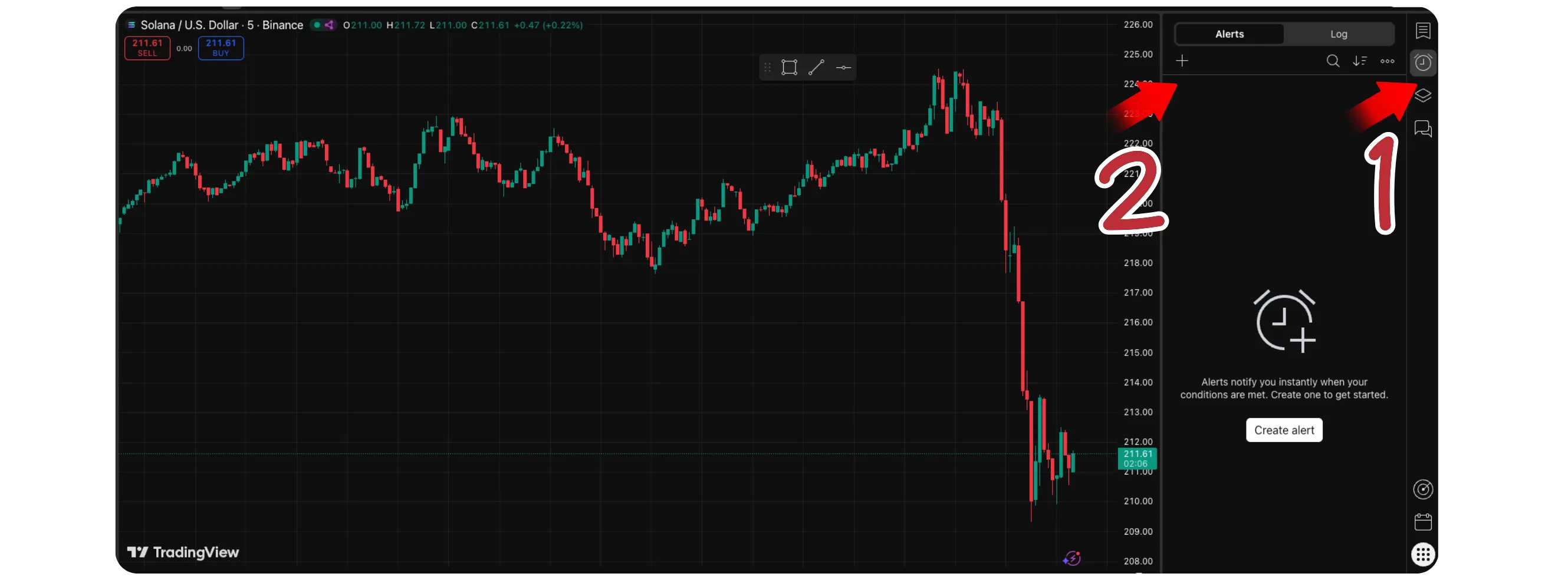
Step 4: Set Your Alert Condition
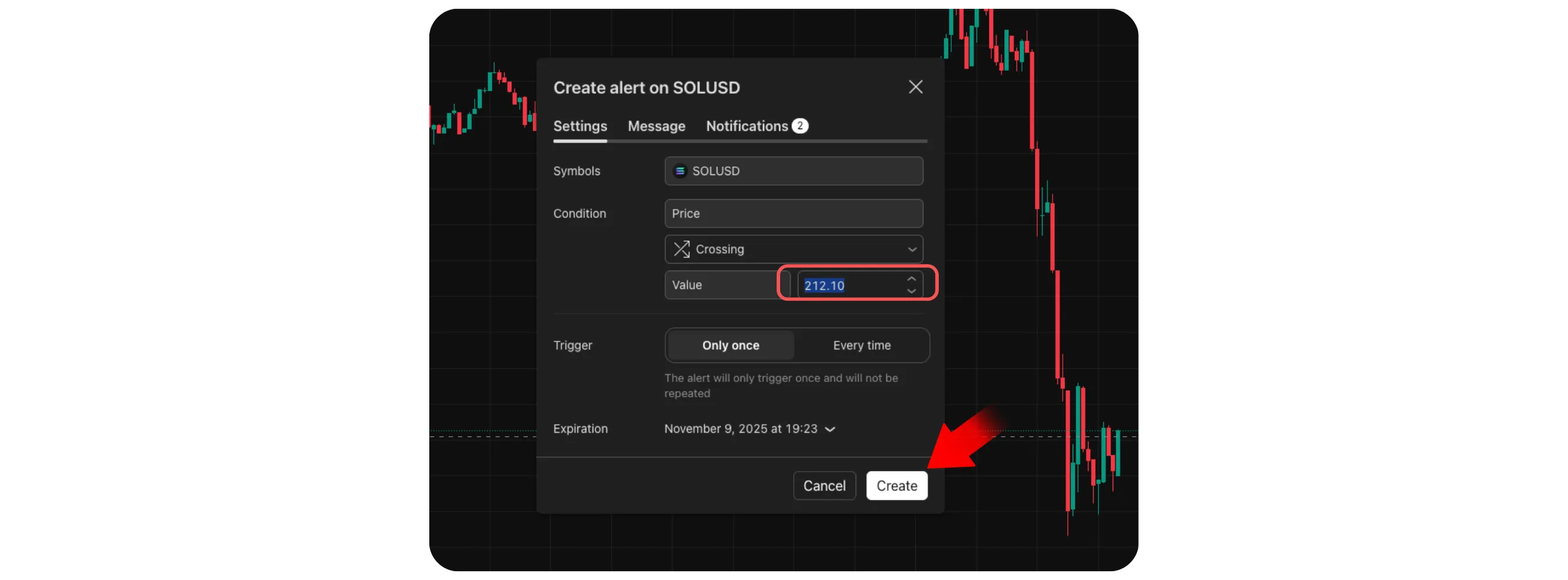
A small window will appear where you can define your alert:
Condition: Choose "SOLUSDC" or "SOLUSD"
Value: Enter the price where you want to receive an alert
Options: Select "Crossing" to be notified when price moves above or below that level
Alert Actions: Choose how you'd like to be notified (pop-up, email, or app notification)
Step 5: Create the Alert
Click Create to activate it *TradingView will confirm your alert is active, and you'll see a small horizontal line on the chart marking your alert price
Tips and Notes
Free users can have 1 alert active at a time
Paid plans allow multiple alerts, indicator-based conditions, and longer durations
You can pause, edit, or delete alerts anytime from the Alerts Panel
To receive instant phone notifications, install the TradingView mobile app and log in with the same account
Conclusion
Setting up alerts for SOL or SOL/USD on TradingView is one of the easiest ways to track Solana's price without being glued to charts. Whether you use the free or paid version, alerts ensure you never miss important price moves, keeping you informed and ready to act at the right moment.