
HOW TO VERIFY XRP LEDGER DOMAINS AND TRUSTED ISSUERS
Users can verify XRP Ledger domains and trusted issuers through Bithomp's verified accounts page and XRPScan. Verification badges confirm that domain owners have publicly linked their websites to specific XRP addresses, helping users identify legitimate exchanges, gateways, and token issuers while avoiding fraudulent accounts

HOW TO VERIFY XRP LEDGER DOMAINS AND TRUSTED ISSUERS
One of the XRP Ledger's most valuable features is transparency. Every account, transaction, and issuer can be publicly verified, including the domain connected to a wallet. Verifying domains helps users identify legitimate companies and token issuers while avoiding fake or malicious accounts. In this guide, we'll show you how to confirm verified XRP accounts and trusted issuers using Bithomp and XRPScan.
Step 1: Open the Bithomp Verified Accounts Page
Start by visiting
bithomp.com/en/domains*This page displays a complete list of verified XRP Ledger accounts, including exchanges, gateways, and trusted issuers *Verified accounts typically belong to reputable entities such asRipple, Bitstamp, or GateHub, and include their verified domain name
Step 2: Search for a Specific Account or Domain
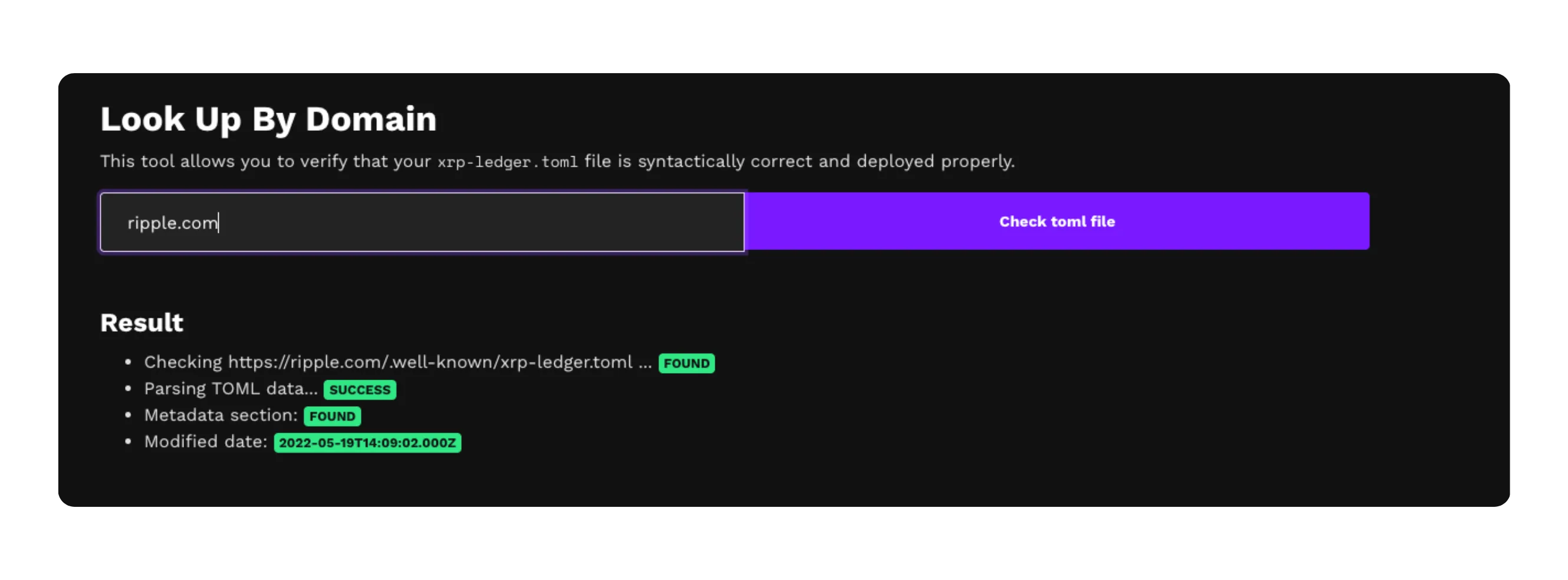
Use the search bar on
TOML Checkerto find a particular issuer or company *For example, you can type "Bitstamp" or "ripple.com" to locate their verified XRP accountOnce you find it, you'll see a clear indicator showing the domain as verified *If no verification appears, that account is not officially linked to a trusted domain

Step 3: Check the Verification Details
Each verified account includes its domain name and a verification badge confirming ownership *The verification process ensures that the domain owner has publicly linked their website to that XRP Ledger address *This step prevents impersonation and helps users confirm that funds are being sent to the correct recipient
Step 4: Cross-Check Using XRPScan
For additional confirmation, open xrpscan.com and paste the same XRP address into the search bar
Under the Account Info section, you can view the same domain verification details and related issuer information *XRPScan also displays trust lines and flags, offering extra insight into how the account operates on the ledger
Step 5: Follow Security Best Practices
Always verify the domain before sending any XRP or IOU tokens
Never rely on wallet addresses shared only through social media or forums
Avoid accounts without a verified domain, even if they appear official
Cross-check information on both Bithomp and XRPScan for maximum accuracy
Conclusion
Verifying domains and issuers on the XRP Ledger is one of the easiest ways to stay safe from fraudulent accounts. By checking verification badges through Bithomp and confirming details on XRPScan, you can ensure that you're interacting only with trusted, verified entities within the XRP ecosystem.
Also, you can checkout our guide to HOW TO USE BITHOMP FOR EXTRA XRP WALLET INSIGHTS for more info!