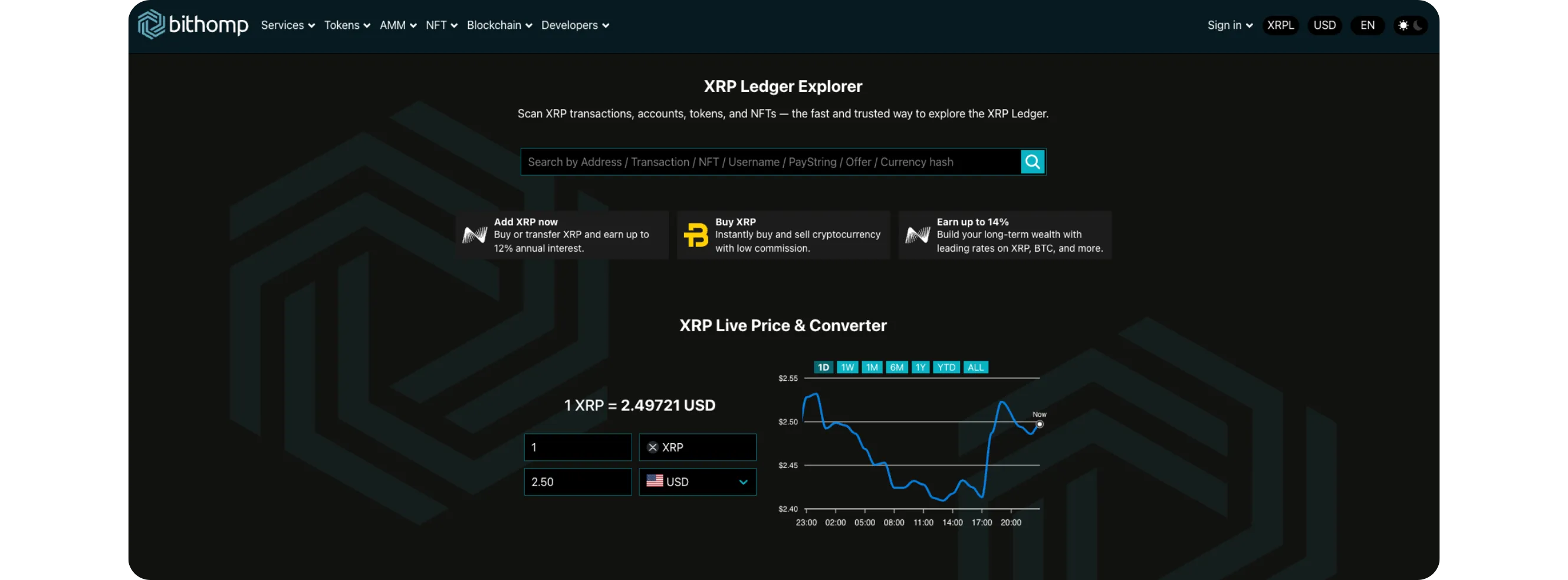
Bithomp offers detailed XRP Ledger wallet insights beyond standard explorers, displaying account flags, verified domains, regular keys, and issuer details. Users can explore transaction history, account settings, and technical metadata to understand wallet configurations, making it ideal for verifying exchange addresses and token issuers alongside XRPScan
HOW TO USE BITHOMP FOR EXTRA XRP WALLET INSIGHTS
While XRPScan is the most popular XRP Ledger explorer, Bithomp offers a different view of on-chain data, with additional wallet details, account flags, and metadata that XRPScan doesn't always display.
In this guide, you'll learn how to use Bithomp.com to explore XRP wallets more deeply, check account settings, and understand extra details hidden behind the Ledger's basic view.
Account Flags: Show if the wallet has special settings like "Require Destination Tag" or "Default Ripple"
Domain: If verified, this links the wallet to an official website or project
Regular Key: Indicates if another wallet is authorized to sign transactions
Last Transaction: Timestamp of the most recent activity
These details help you identify whether the wallet belongs to an exchange, a project, or a normal user.
Step 4: Review Transaction History
Click on the Transactions tab to see every incoming and outgoing transfer
Each record includes:
Transaction type (Payment, OfferCreate, TrustSet, etc.)
Amount and currency
Sender and recipient
Fee paid
Confirmation ledger index
Click any transaction to view its full details and metadata.
Step 5: Compare Explorer Data
If you've already checked this wallet on XRPScan, you can now compare both explorers:
XRPScan focuses on simplicity and analytics
Bithomp reveals low-level ledger data, flags, and technical info
Many users use both tools together for a complete understanding of an account's behavior.
Step 6: Use Bithomp Tools (Optional)
From the top menu, you can explore more tools:
Rich List: See top XRP holders and total wealth distribution
Stats: View transaction volume, total wallets, and other metrics
Validator List: Check validator nodes and network decentralization
These sections provide extra context about the health and distribution of the XRP Ledger.
Tips
Never share your private keys or secret phrases, Bithomp is an explorer, not a wallet
Use the Account Flags section to spot whether an address is configured for exchange deposits
Verified domains are a good sign of legitimacy for token issuers and projects
Bookmark wallets or use the browser's search history to revisit accounts easily
Conclusion
Bithomp is a powerful alternative to XRPScan for exploring the XRP Ledger. It offers detailed wallet insights, including flags, domains, and technical settings, that can reveal far more about how an account operates. By using both Bithomp and XRPScan together, you get a full picture of any XRP wallet's activity, history, and authenticity, all without connecting your own wallet or spending a single XRP.