
How to View NFT Traits & Metadata Using XPMarket
View XRPL NFT traits and metadata easily on XPMarket — explore attributes, rarity details, history, and raw metadata for any NFT without connecting a wallet.
How to View NFT Traits & Metadata Using XPMarket
NFTs on the XRP Ledger come with traits, attributes, and metadata that define their rarity and identity. XPMarket makes it easy to explore these details inside any collection, all from one clean dashboard.
Here’s how to check the full traits and metadata of any XRPL NFT.
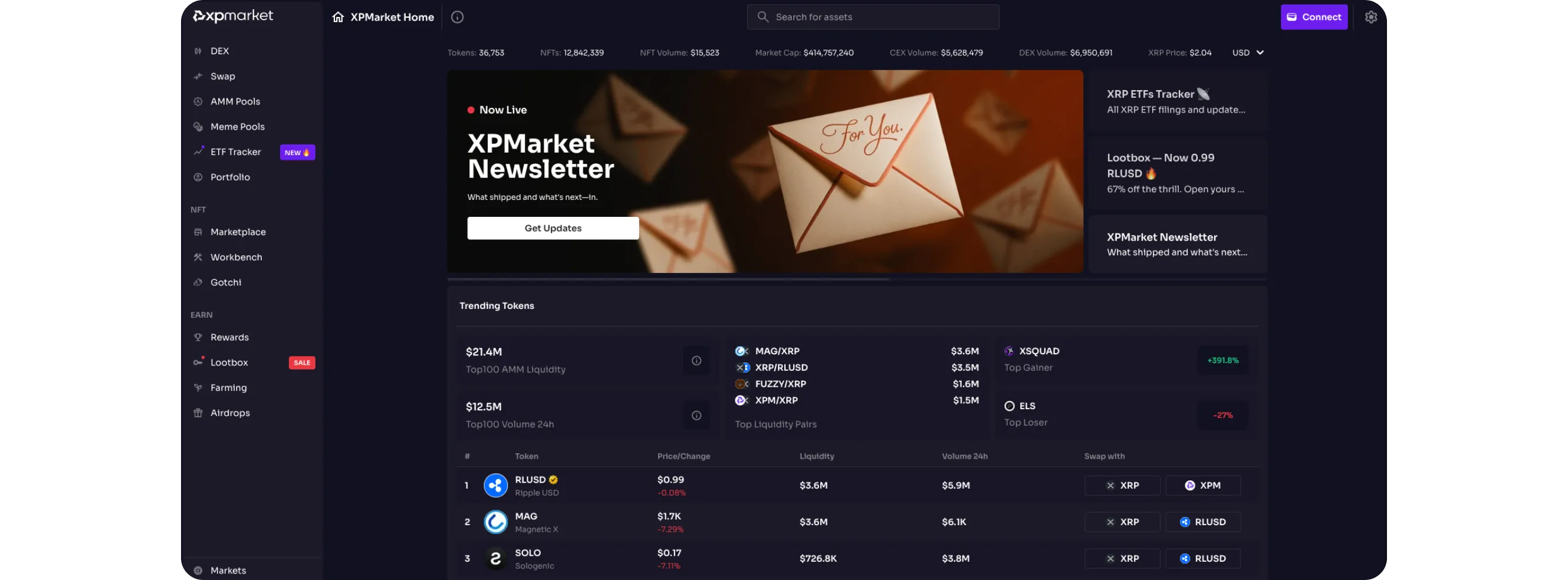
Step 1: Go to XPMarket’s NFT Marketplace
Open xpmarket.com and click NFT → Marketplace from the left side menu.
You’ll see a list of XRPL NFT collections with their logos, names, and basic stats.
How to Explore XRPL NFT Collections Using Bidds for deeper tracking tools.
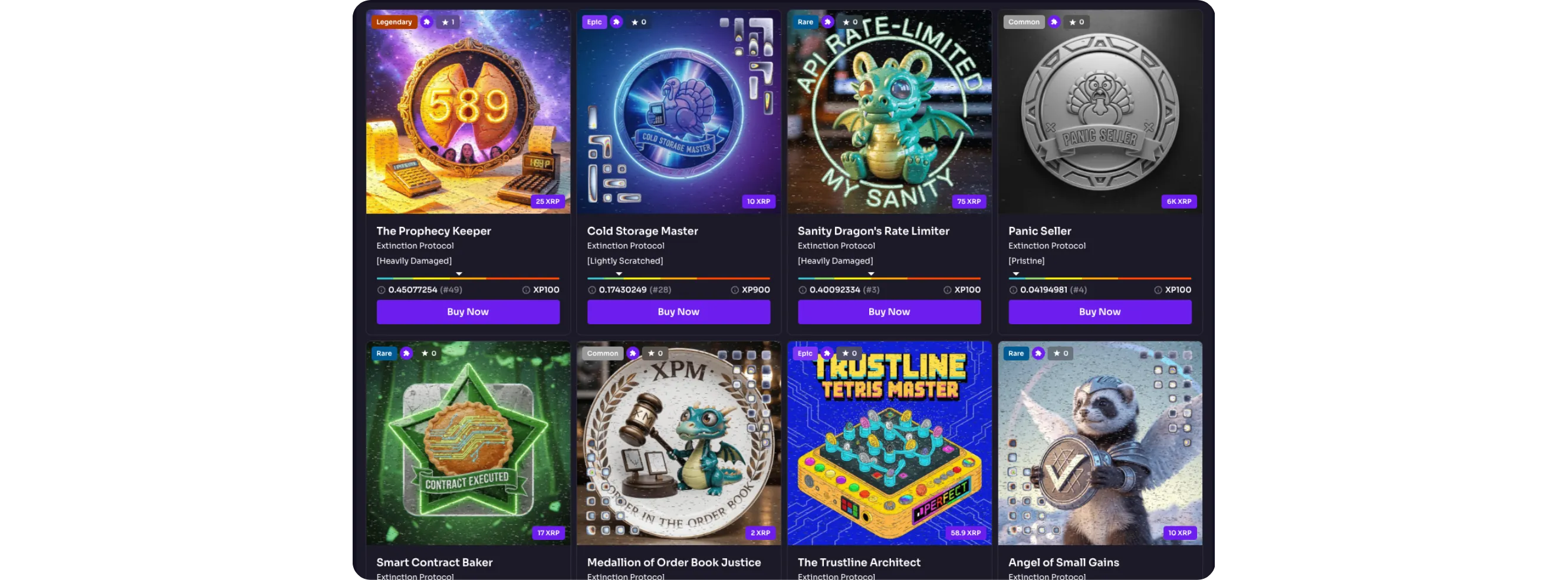
Step 2: Select an NFT Collection
Choose any collection from the marketplace.
This opens the collection dashboard where you can browse items, view listings, and open individual NFTs.
You don’t need to connect anything to view traits, XPMarket loads all metadata directly from the XRPL.
Step 3: Open Any NFT
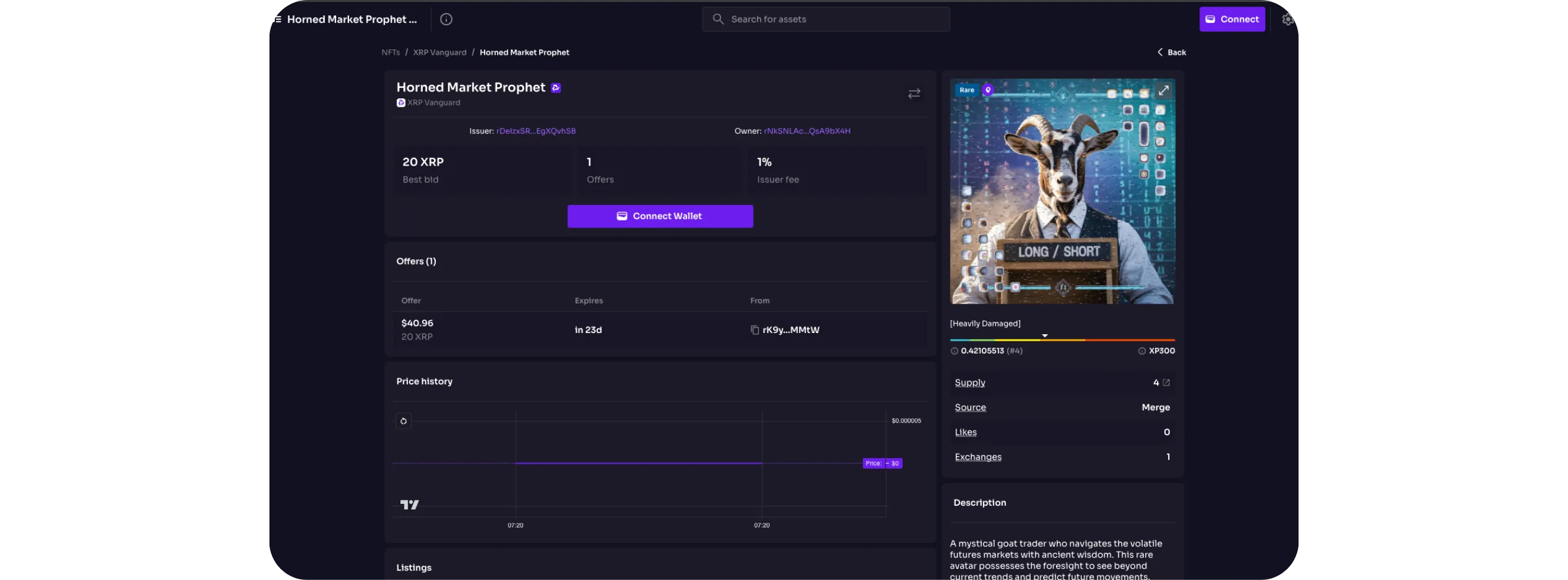
Click an NFT from the gallery to open its full profile page.
This page shows everything tied to that specific NFT, including owner, issuer, supply, and previous events.
Step 4: Scroll Down to the Metadata & Traits Section
XPMarket shows traits on the right-hand side under Attributes.
You’ll see all the metadata the creator added, such as:
Tier or class
Damage or energy values
Collection-specific attributes
Supply
Decorative or XP values
Right below this section, you’ll find the Description, which explains the NFT lore or utility, and the Metadata button that lets you view the raw metadata file.
Step 5: Check Price History, Listings, and Events
Below the main section, XPMarket also displays:
Price history
Current listings
Transfer events
Mint information
This helps you understand how the NFT has moved on-chain and who previously owned it.
Conclusion
XPMarket provides one of the easiest ways to inspect XRPL NFT traits, metadata, supply, and activity without connecting a wallet.
It’s perfect for collectors who want a quick look at how each NFT is structured and what makes it unique.
If you’d like to understand how to verify XRP Ledger assets and trusted issuers, seeHOW TO VERIFY XRP LEDGER DOMAINS AND TRUSTED ISSUERS.