
HOW TO VIEW XRPL AMENDMENTS AND UPCOMING NETWORK CHANGES
XRPScan's Amendments section allows users to track all XRPL protocol upgrades in real-time, showing active, majority, and proposed changes with details on status, dates, and validator support. Users can verify network updates directly on-chain rather than relying on social media, ensuring accurate information about upcoming XRP Ledger features and governance decisions

HOW TO VIEW XRPL AMENDMENTS AND UPCOMING NETWORK CHANGES
The XRP Ledger (XRPL) is constantly evolving. Instead of relying on rumors or social media posts, you can verify every proposed and approved network upgrade directly through the XRP Ledger's amendment system. In this guide, you'll learn how to check active and upcoming amendments using public XRP explorers like XRPScan, so you can stay informed about what's changing in the network.
Step 1: Go to XRPScan
Open your browser and navigate to
xrpscan.com*XRPScan is the most widely used XRP Ledger explorer, providing data on accounts, tokens, transactions, validators, and amendments
Step 2: Open the "Amendments" Section
At the top of the XRPScan homepage, you'll see several tabs such as Tokens, AMMs, Metrics, and Validators
Click on "Amendments" *This section lists all current and historical changes proposed to the
XRP Ledgerprotocol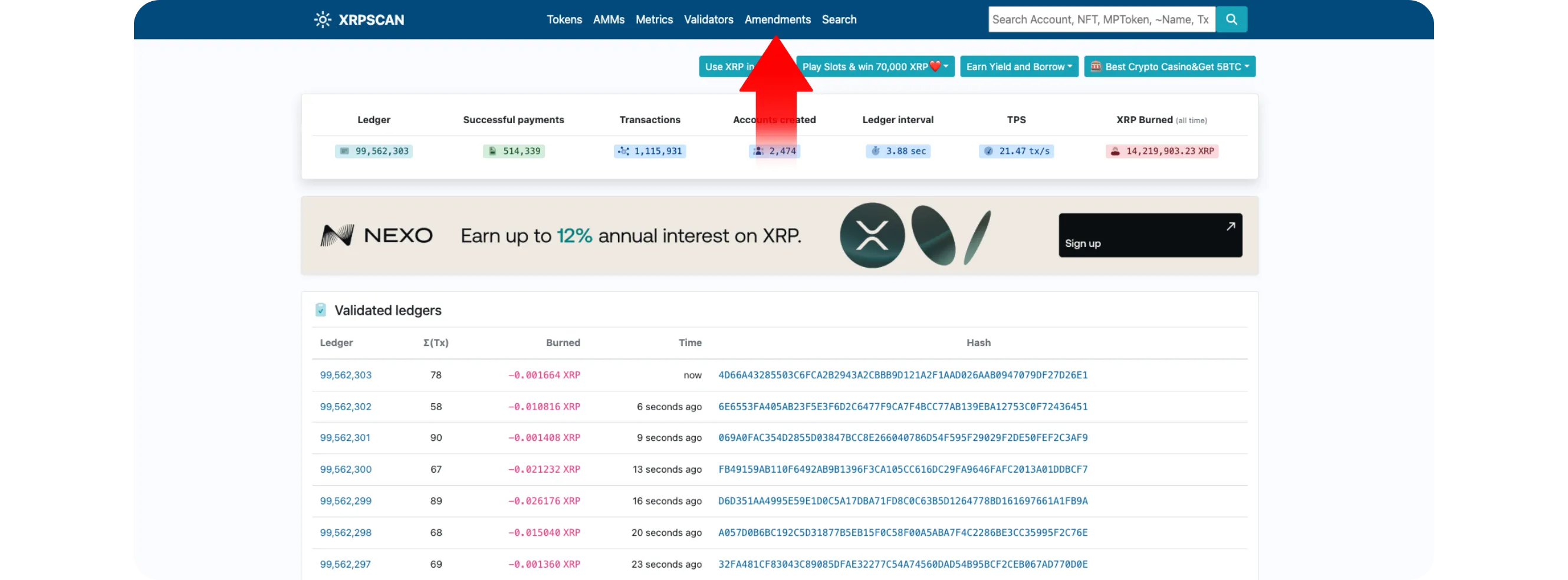
Step 3: Review Active Amendments
Once on the
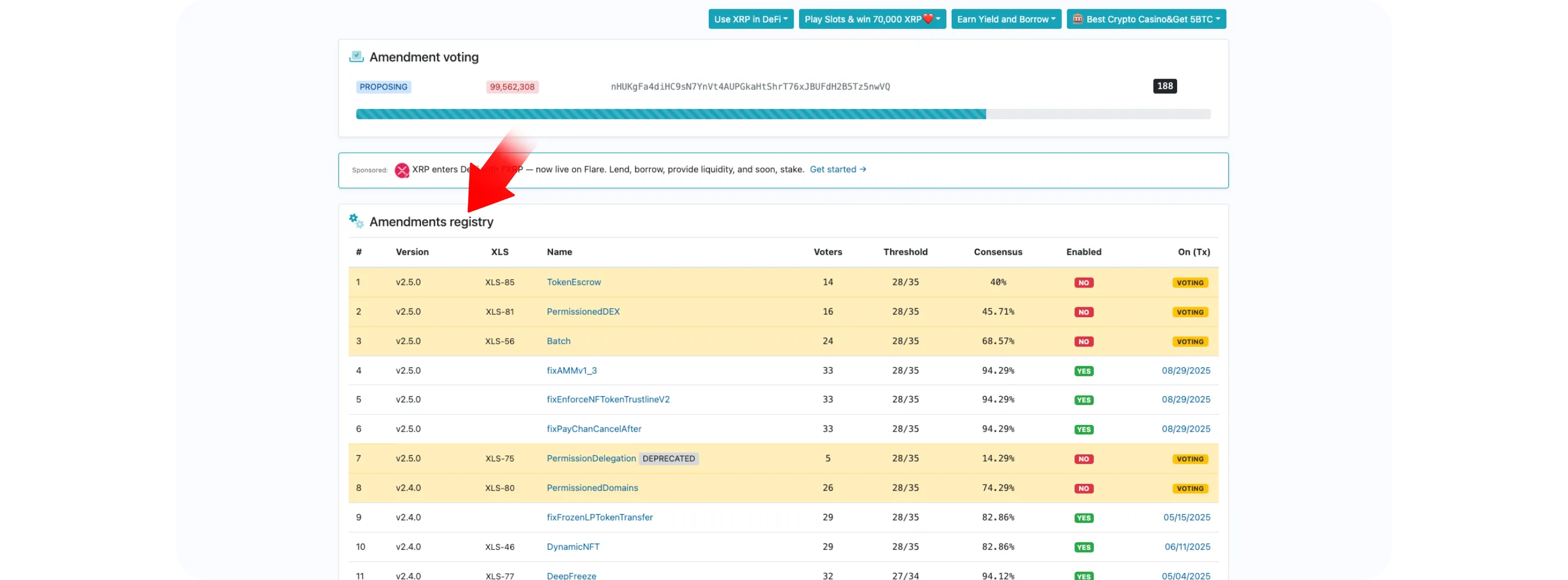
Amendmentspage, you'll see a list of protocol updatesEach amendment entry typically includes:
Name: The title of the amendment (for example, Checks, Clawback, or Paychan)
Status: Whether it is Enabled, Majority, or Proposed
Date: When it was introduced or activated
Details: A short description of what it changes or adds to the XRP Ledger
Step 4: View Upcoming or Proposed Changes
Scroll down the list to see Proposed amendments *These are features under consideration but not yet accepted by the validator majority
Clicking any amendment name opens a detailed view showing:
The amendment's unique identifier (hash)
A summary of the proposal and its purpose
The number of validators supporting or opposing it
This gives you a clear idea of which upgrades are likely to go live next.
Step 5: Check Validator Consensus
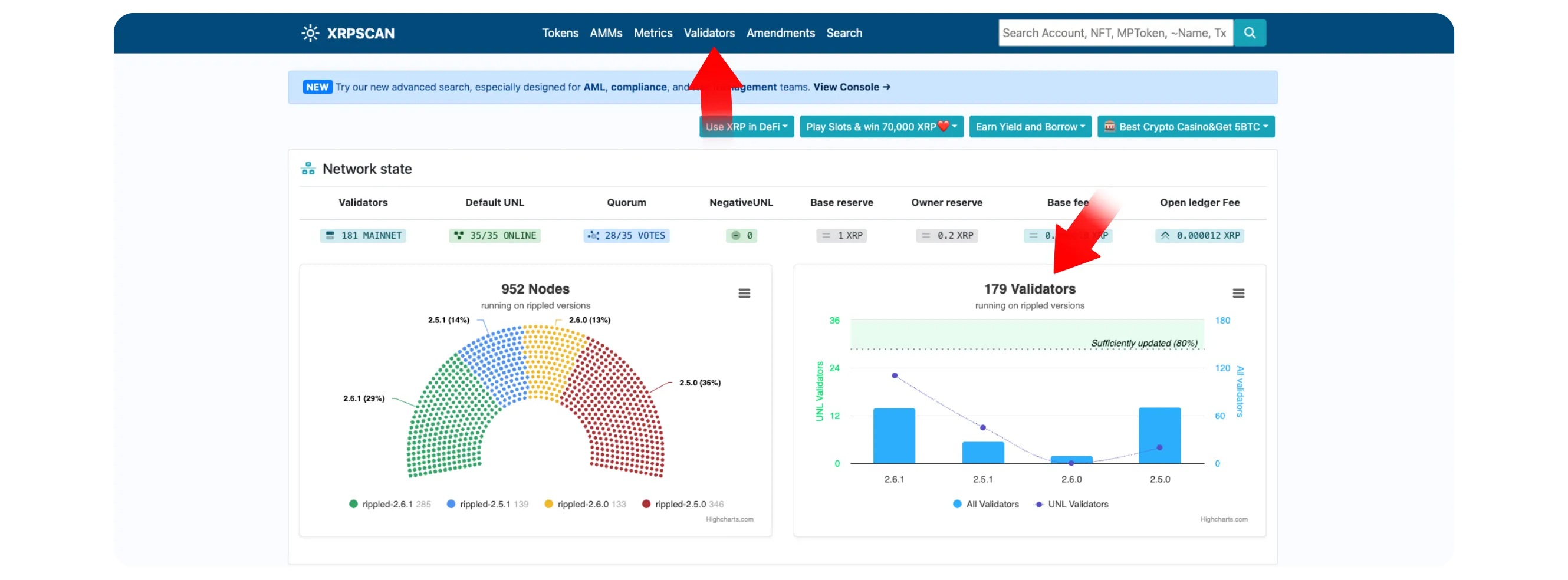
At the top of the page, you can also visit the Validators tab to see which validators support specific amendments *This helps you understand how consensus is forming across the network, an important insight into XRPL's governance model
Step 6: Stay Updated
Network upgrades on
XRPLare usually well-documented and community-reviewedTo stay updated:
Bookmark the Amendments page on XRPScan
Occasionally check xrpl.org for official documentation about new features once they are enabled
Avoid relying on social media speculation, the explorer provides real-time,
verifiable information
Conclusion
Monitoring amendments on XRPScan is the most reliable way to track XRP Ledger upgrades in real time. Whether you're a developer, trader, or long-term XRP holder, understanding how and when protocol changes occur keeps you ahead of the curve. With just a few clicks, you can see the future of XRPL, verified directly on-chain.